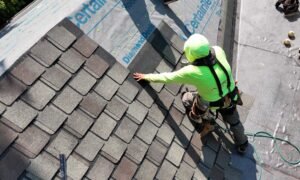

A new roof can completely change the appearance of a Columbus, Ohio home. The difficult part is trying to imagine that change while looking at a small shingle sample, a color chart, or a photograph of somebody else’s house.
A color that looks great on one property may feel very different when paired with your own brick, siding, trim, shutters, landscaping, and architectural style. That uncertainty can make an already important roof replacement decision feel even more complicated.
Assured Restoration’s new Instant Roof Designer gives Columbus and Central Ohio homeowners a more useful starting point. Upload a clear exterior photo of your home and the visualizer creates three roofing concept images using your actual property. You can compare the different looks before discussing products, pricing, and the final project scope with a roofing professional.
The previews are intended for inspiration and early planning. They help answer one of the first questions many homeowners have: What could a new roof look like on my house?
What Is an Instant Roof Visualizer?
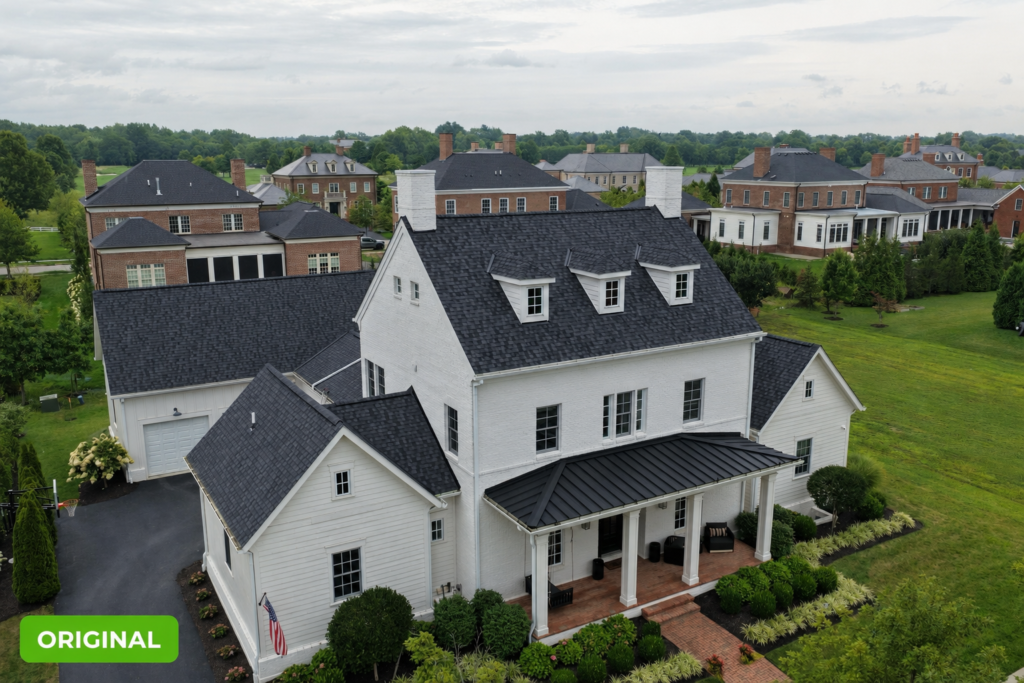
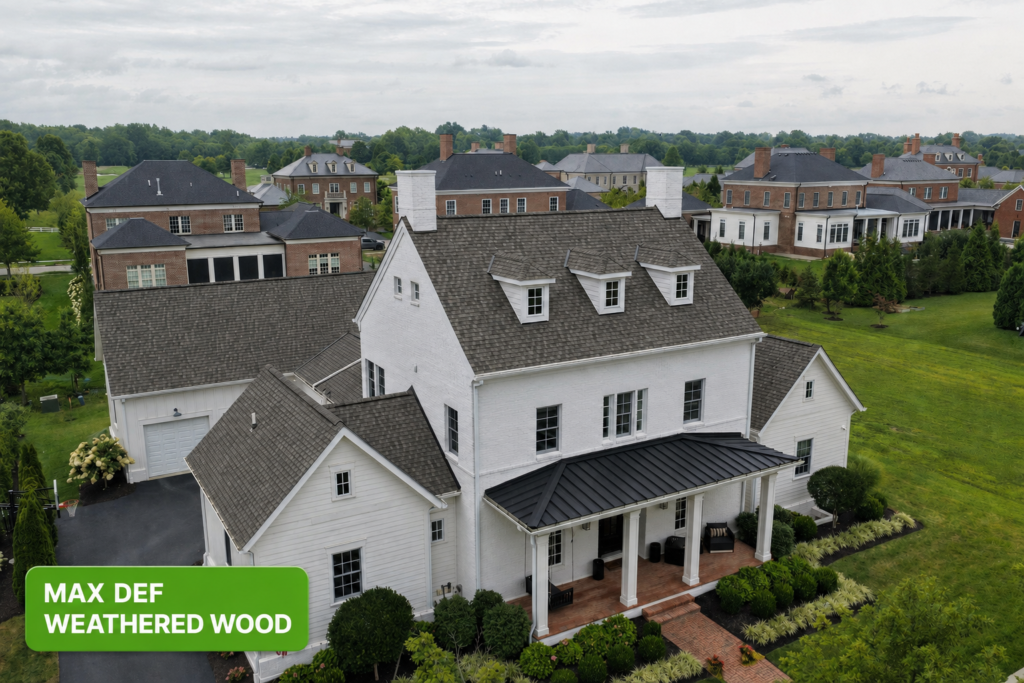
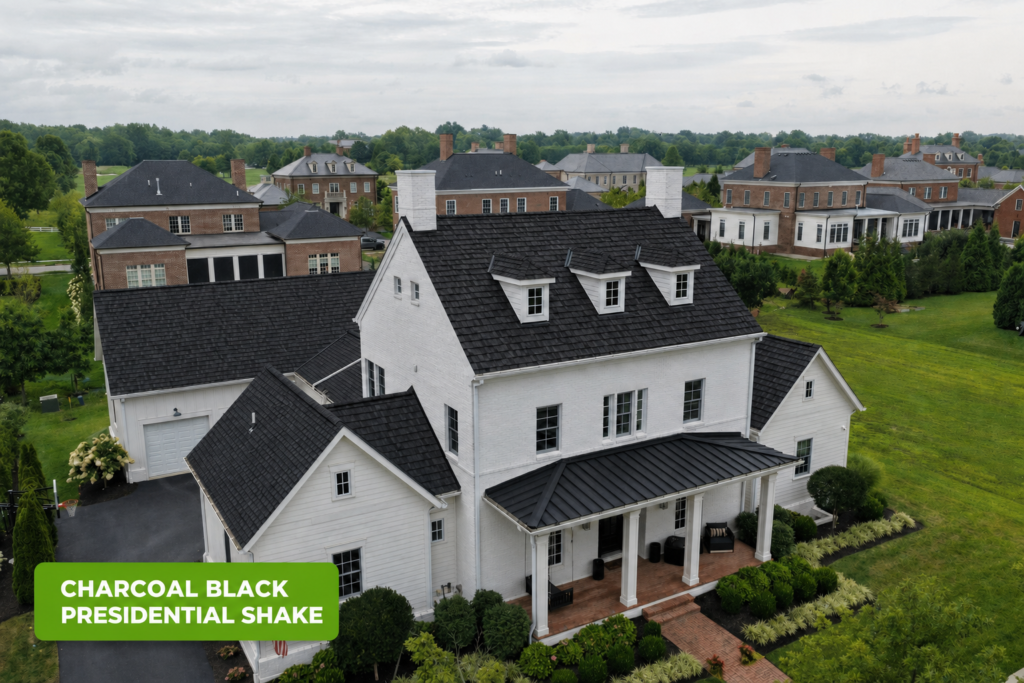
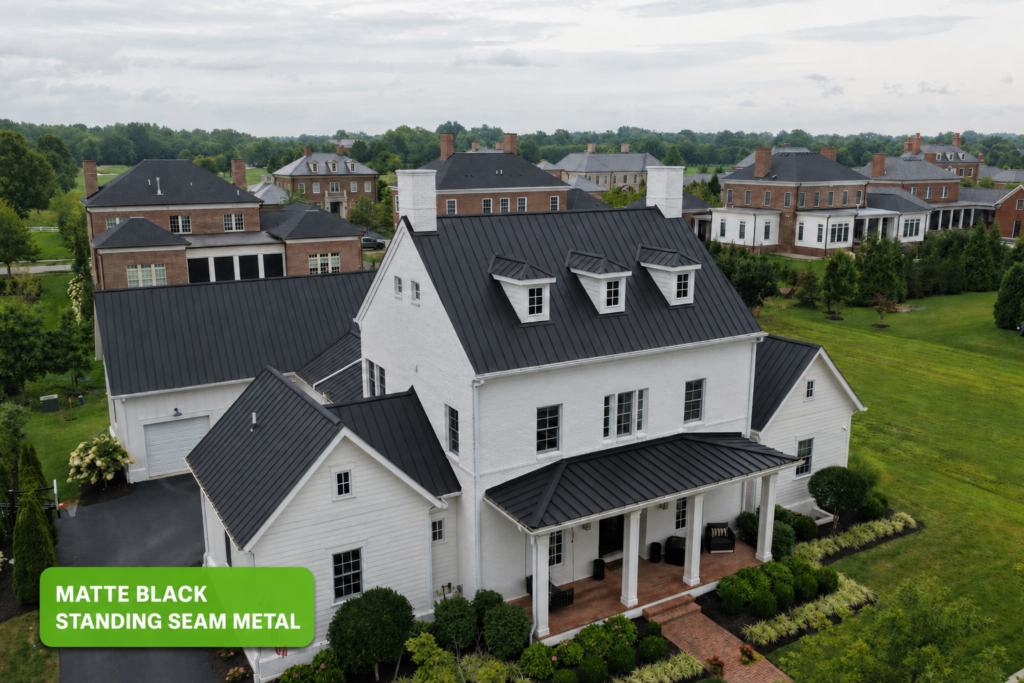
An instant roof visualizer is a digital design tool that creates concept images of a home with an updated roof appearance. Instead of asking you to picture a new roof from a detached material sample, the tool uses a photograph of your own property as the starting point.
That difference matters because roofing colors and textures do not exist by themselves. They interact with every visible part of the exterior. A darker roof may create sharper contrast with light siding. A warmer roof tone may coordinate more naturally with brick or stone. A more dimensional shingle style may give the roofline a different amount of visual depth.
The Assured Restoration visualizer is free to use and provides three concept previews. It is designed to make the earliest stage of planning easier—not to replace physical samples, product specifications, a roof inspection, or a written proposal.
A Roof Visualizer for Columbus and Central Ohio Homeowners
Homes across Columbus and Central Ohio include brick ranches, two-story Colonials, older homes with detailed trim, and newer exteriors that combine siding and stone. The same roof color can create a very different result on each style, which is why a preview based on your own home is more useful than a generic product image.
Assured Restoration serves Columbus, Dublin, Powell, Westerville, Worthington, Gahanna, New Albany, Blacklick, and other communities throughout Central Ohio. The visualizer can help local homeowners narrow an aesthetic direction before comparing physical samples and roofing systems suited to the property.
Central Ohio’s sun, wind, rain, snow, and freeze-thaw cycles also make performance important. Use the visualizer to explore appearance, then confirm the material, color, ventilation, flashing, warranty, and installation details with a roofing professional.
How Assured Restoration’s Roof Visualizer Works
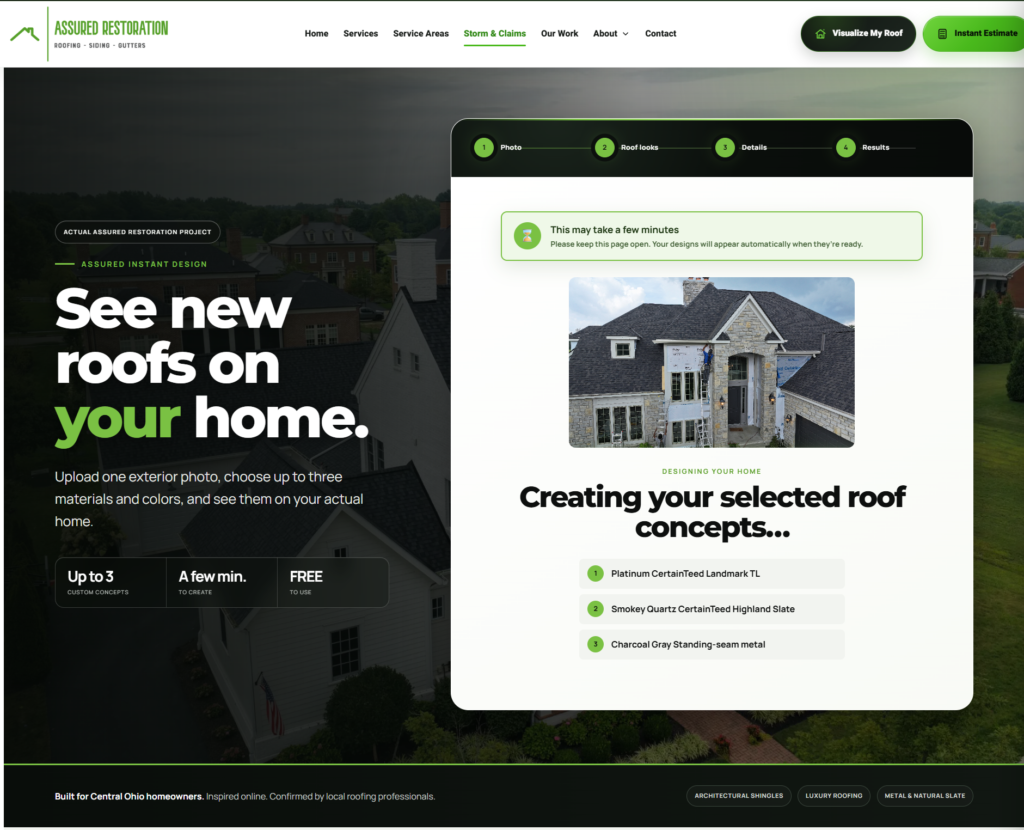
1. Upload a Clear Photo of Your Home
Start with a recent exterior photograph that shows as much of the roof as possible. A front or three-quarter view usually gives the visualizer enough information to understand the main rooflines while still showing the siding, brick, trim, and other exterior colors.
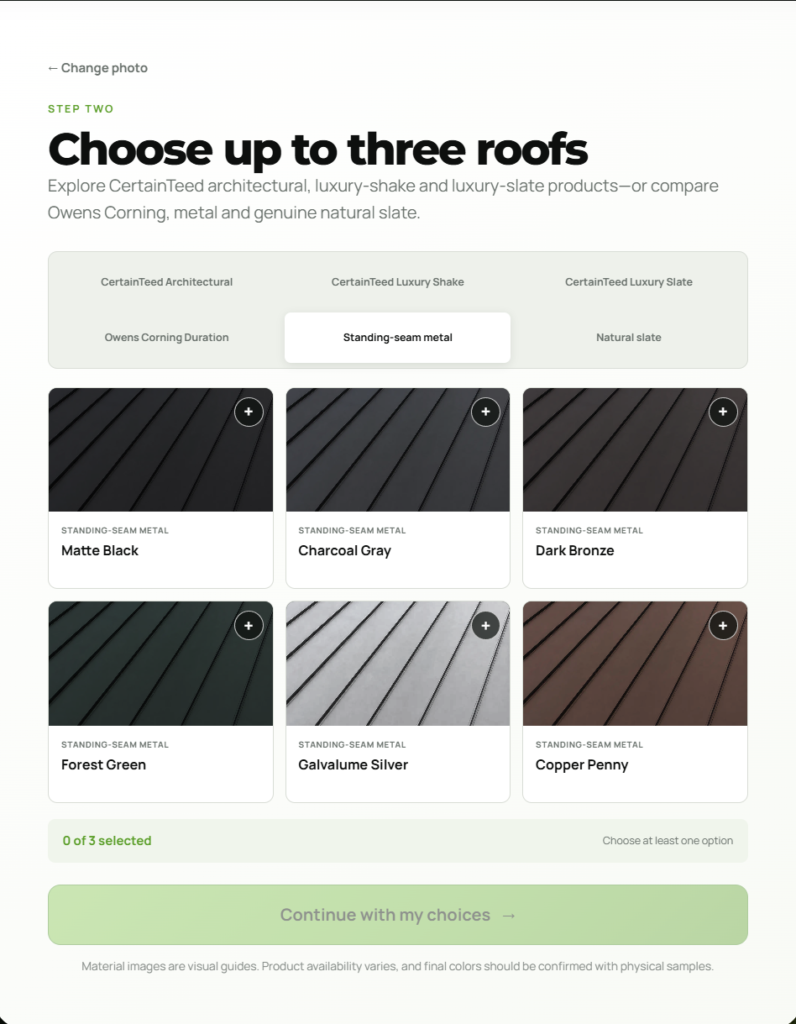
2. Generate Three Roofing Concepts
The visualizer uses the photograph to create three updated roofing concepts. Seeing multiple versions of the same home makes comparison easier than viewing unrelated example houses or trying to make a decision from memory.
3. Compare the Overall Appearance
Review each concept as a complete exterior rather than focusing only on the shingles. Consider how the roof relates to the home’s fixed materials, roof shape, trim, windows, garage door, and landscaping. The goal is to identify the direction you prefer before narrowing the choice with actual roofing products and samples.
How to Take a Better Photo for the Visualizer
The quality and angle of the uploaded photograph affect the usefulness of the finished concepts. You do not need professional photography, but a few simple choices can produce a clearer result:
Photograph the home during daylight with even lighting whenever possible.
Include the entire house and as much of the roofline as the property allows.
Use a front or three-quarter angle that shows both the roof and exterior finishes.
Avoid heavy shadows, nighttime images, strong glare, or severe backlighting.
Try to limit trees, vehicles, ladders, and other objects blocking the roof.
Hold the camera level so the house and rooflines are not heavily tilted.
Upload the original photo instead of a screenshot or highly compressed copy when possible.
A roof that is partly hidden by trees or photographed from a steep angle can still be submitted, but the concept images may be less consistent in areas the original photograph does not show clearly.
What Should You Look for in the Roof Previews?
Contrast With the Exterior
Look at the difference between the roof and the home’s siding, brick, stone, and trim. Some homeowners prefer a noticeable contrast that clearly defines the roofline. Others prefer a more blended appearance with colors that stay within the same general family.
Warm or Cool Undertones
Roofing colors are rarely a single flat shade. They may contain warmer brown, tan, or copper tones, or cooler gray, charcoal, and blue-gray tones. Comparing concepts on your own home can make those relationships easier to notice.
Texture and Visual Depth
Architectural and designer roofing products can create different patterns, shadow lines, and levels of dimension. The visualizer can help you decide whether you prefer a quiet, uniform roof or a more pronounced appearance, but the final texture should always be confirmed with real product samples.
The Home as a Complete Design
Do not judge the roof in isolation. Consider the gutters, fascia, shutters, entry door, garage door, and landscaping. A roof occupies a large part of the home’s visible exterior, so the best choice usually supports the property as a whole.
A Roof Visualizer Is a Starting Point, Not a Product Guarantee
Digital concept images are useful because they make ideas easier to compare, but they are not exact construction documents or guaranteed product representations. Several factors can cause the installed roof to appear different from a preview:
Sunlight, shade, weather, and the time of day change how roofing colors appear.
Phone, computer, and tablet screens display colors differently.
Shingle blends can vary across individual pieces and installed roof areas.
The visualizer may simplify small flashing, ventilation, or roof-edge details.
A concept color may not correspond to one exact manufacturer product.
Product availability, warranty requirements, and installation details must be confirmed separately.
Use the previews to narrow the design direction. Before signing a contract, review physical samples, confirm the exact manufacturer and product, understand the written scope, and discuss how the selected material is expected to look on the completed roof.
Roof Visualizer vs. Instant Roof Estimator vs. Professional Inspection
These three tools answer different questions. Using them together can make the planning process clearer.
The Roof Visualizer Helps With Appearance
The visualizer helps you compare possible roofing looks on your own home. It is focused on design inspiration and does not determine the roof’s condition or calculate a final project price.
The Instant Roof Estimator Helps With Early Budget Planning
Assured Restoration’s Instant Roof Estimator provides a preliminary roof replacement range using property information and selected project options. It can help with early budgeting, but it is not a final quote or contract.
A Professional Inspection Confirms Condition and Scope
An inspection allows a roofing professional to evaluate visible shingles, decking concerns, flashing, ventilation, penetrations, roof edges, access, and other conditions that a photograph or online estimate cannot fully confirm. The inspection and product-selection process are what lead to a detailed written proposal.
A practical sequence is to use the visualizer to explore appearance, use the estimator to understand a preliminary price range, and schedule an inspection when you are ready to evaluate the actual roof and project scope.
How the Visualizer Can Make Product Selection Easier
Many homeowners begin a roofing conversation by saying they want something dark, neutral, dimensional, or similar to the existing roof. Those descriptions are helpful, but they still leave room for very different interpretations.
Bringing one or two preferred concept images into the conversation gives the contractor a clearer reference. The Assured Restoration team can then discuss available materials that fit the general direction, compare physical samples, and explain differences in product construction, warranty options, and installed appearance.
The visualizer can also make it easier for everyone involved in the decision to compare the same ideas. Instead of passing around separate shingle photos, homeowners can review concepts based on one consistent photograph of the property.
Appearance Is Important, but Performance Still Comes First
A roof is one of the most visible parts of a home, but its primary job is protection. Color and style should be considered alongside material suitability, installation details, ventilation, flashing, warranty coverage, and the demands of Central Ohio weather.
If you are beginning to plan a replacement, our guide to what happens during a roof replacement explains the major steps from inspection and material selection through installation and final review. Homeowners comparing budgets can also review how much a new roof may cost in Columbus.
Frequently Asked Questions
Is the Instant Roof Visualizer free?
Yes. Assured Restoration’s visualizer is free to use. It is intended to help homeowners explore possible roofing looks before deciding whether to move forward with a project conversation.
How many roof concepts will I receive?
The visualizer creates three roofing concept images using the home photo you provide.
Will the finished roof look exactly like the visualizer image?
Not necessarily. The images are planning concepts. Actual color and texture can vary because of product selection, material blends, lighting, screen settings, roof geometry, and installation details. Confirm the final choice with physical samples and written product information.
Can the visualizer tell me whether my roof needs to be replaced?
No. A visualizer changes the appearance of a photograph; it does not inspect the roof or diagnose leaks, storm damage, ventilation concerns, deteriorated decking, or other conditions. A professional roof evaluation is necessary when condition is the concern.
What type of home photo works best?
Use a well-lit exterior photo that shows the full home and as much of the roof as possible. A front or three-quarter angle usually works well. Avoid images where trees, vehicles, deep shadows, or other objects block most of the roof.
Can I use the visualizer before I know my budget?
Yes. The visualizer is an early design tool. After you identify a preferred direction, the Instant Roof Estimator can provide a preliminary planning range, and an inspection can help establish the actual scope and final proposal.
Can homeowners outside Columbus use the roof visualizer?
Yes. Homeowners throughout Assured Restoration’s Central Ohio service area can use the visualizer to explore roofing concepts and contact the local team about next steps. Visit the service-area page to confirm whether Assured Restoration serves your community.